All your formats
Catalogue CDs, vinyl, cassettes, SACD, DVD, Blu-ray, USB drives, reel-to-reel tape and more in PMCO.
 PMCO
Physical music catalogue · Windows
Organise CDs, vinyl, cassettes and other physical media, and keep album details and audio in PMCO.
Windows x64 · English, 日本語, 简体中文
Version 0.3.0 build 46 3.98 MB
What PMCO does
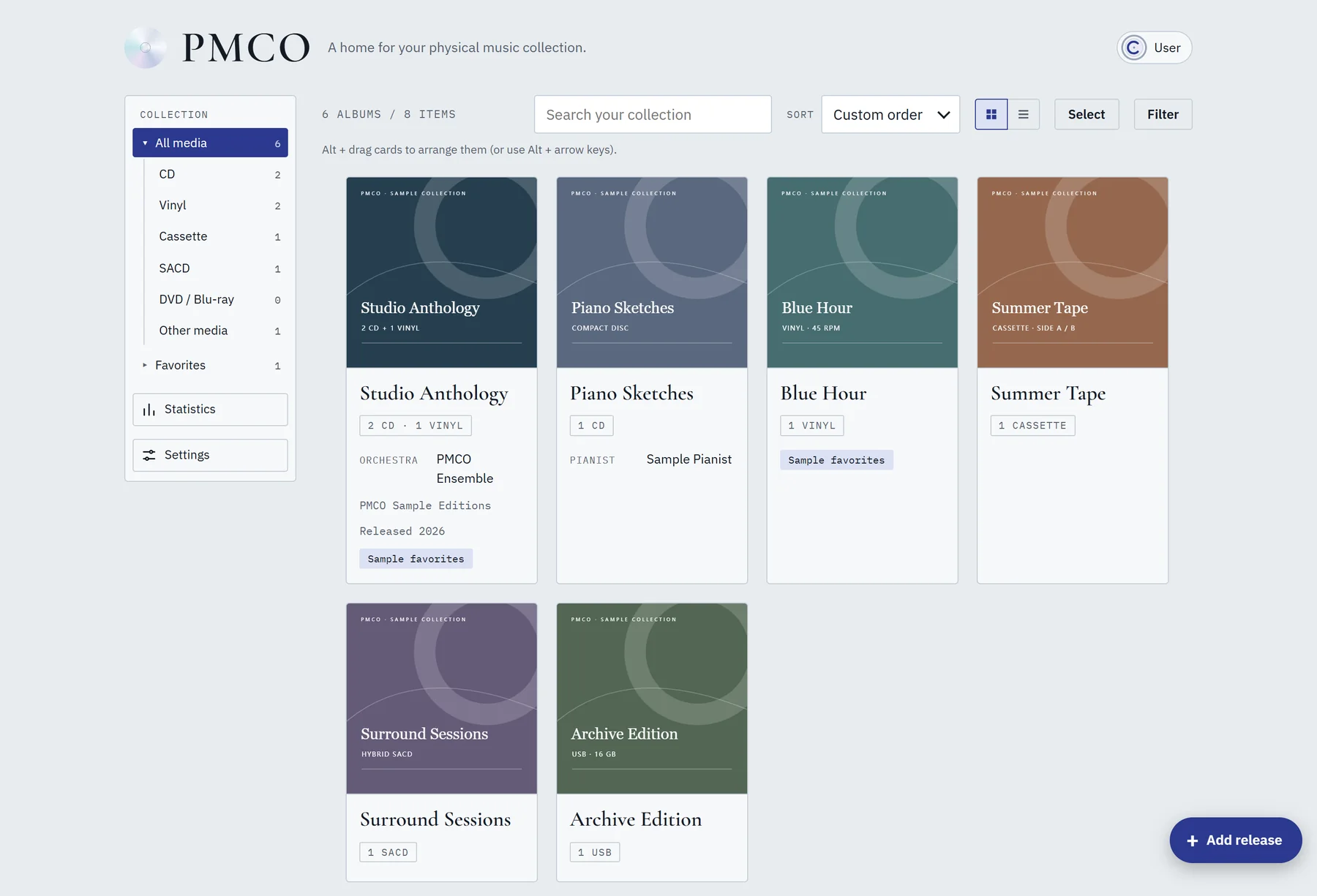
PMCO is a local catalogue for your physical music collection. Add album details and attach your audio.
Catalogue CDs, vinyl, cassettes, SACD, DVD, Blu-ray, USB drives, reel-to-reel tape and more in PMCO.
Each item in a set keeps its own details, works and tracks.
Add details such as label, manufacturer and country, release year, matrix code, IFPI and more.
Attach audio files from your computer and play them from PMCO. Audio stays local and is never uploaded.
Search by barcode, catalogue or matrix number, review the result, then save the details you want.
Use Favorites, custom order, search, filters and statistics. Works offline; optional account sync keeps metadata in step across computers.
Playback
PMCO can play audio files from your computer. Link audio to a work or track and play it in the app, without opening another player.
*SACD/DSD decoding and DVD/Blu-ray video playback are not supported yet.
Supports MP3, FLAC, WAV, M4A, AAC, Ogg, Opus and more (what plays depends on the codecs supported by the WebView on your computer).
Play a whole album, a single work, or even a specific movement.
Files are copied to your computer, not uploaded. With an account, only metadata and cover information sync.
Supported filesMP3 · FLAC · WAV · M4A · AAC · Ogg · Opus
Screenshots
Screens from the desktop app, using PMCO's sample collection.
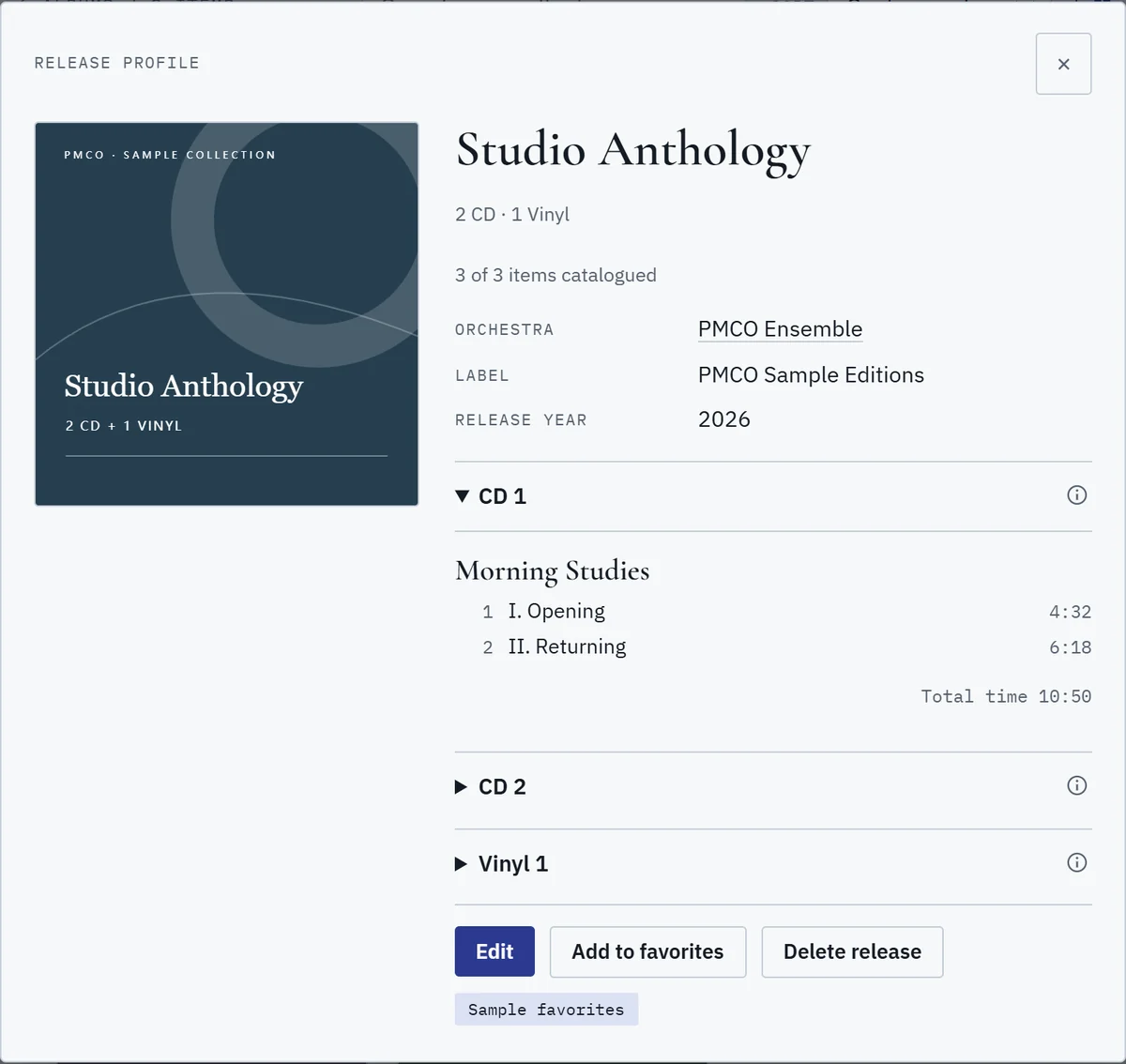
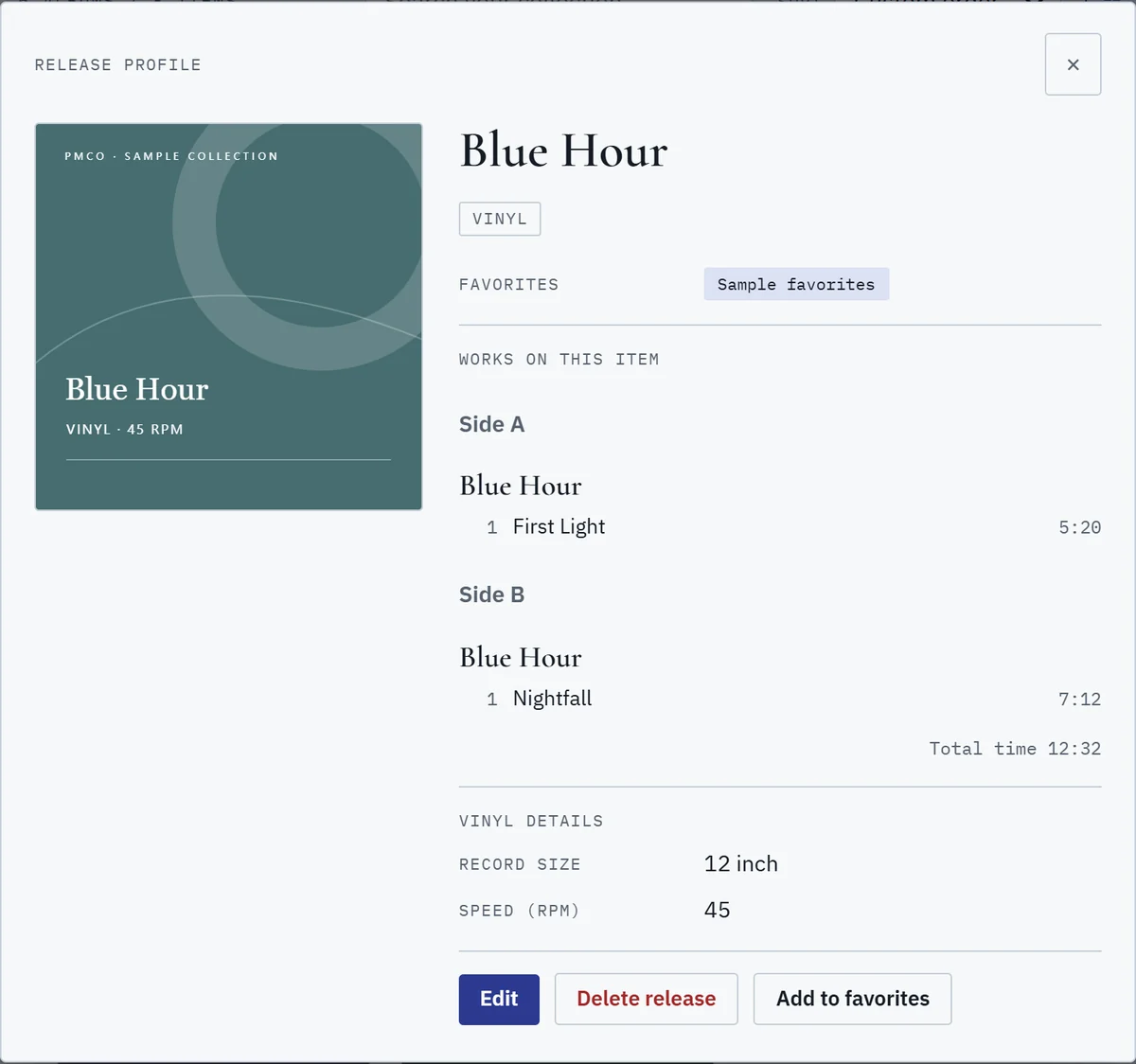
All screenshots use sample data. No personal collection or account is shown.
Downloads
Download the setup file for a normal install, or the MSI if you manage software for a company or network.
Installs for the current user. You don't need administrator rights.
PMCO_0.3.0_x64-setup.exeFD9BC8781550B228B7F61A0C65085BF48F441BCB142C22A7492C0DF1008E3703
For administrators and managed deployments.
PMCO_0.3.0_x64_en-US.msi10561CE4565E3970C333FDFB6E596FA2AD493879E9F794BBE52D45BD3CFB97AD
Choose the recommended download above. It's for Windows x64.
Follow the prompts. It installs for your user account, so you don't need administrator rights.
Your collection is saved on this computer. Sign in only if you want to sync metadata.
The installers aren't code-signed yet, so Windows SmartScreen may show a warning. Check the SHA-256 above; if it matches, choose More info → Run anyway.
The SHA-256 value should match the file exactly. In PowerShell, run the command below and compare the result.
Get-FileHash <file> -Algorithm SHA256FAQ
You can catalogue any medium. PMCO currently supports CDs best, followed by vinyl and cassettes. You can group different formats into one mixed-media set. Adding a medium to the catalogue doesn't mean PMCO can play that disc natively.
PMCO plays local audio files such as MP3, FLAC, WAV, M4A, AAC, Ogg and Opus. What works depends on the codecs available in the WebView on your computer. SACD/DSD decoding and DVD/Blu-ray video playback aren't included.
No. Audio files are copied to your computer and never uploaded. If you sign in, only collection metadata and cover information sync. The audio stays on your computer.
Yes. The collection works offline on your computer. Signing in and syncing metadata are optional.
On Windows, PMCO can read standard stereo audio CDs from a connected drive. It rejects data/mixed-mode, pre-emphasis and four-channel discs. There's no secure-rip/AccurateRip verification, drive-offset correction, CD-Text or SACD extraction yet.
Currently only Simplified Chinese, English and Japanese are supported.
PMCO currently ships for Windows x64 only. There are no macOS, iOS or Android installers.
The installers aren't code-signed yet, so SmartScreen may show a warning. Check the download against the SHA-256 on this page before you run it.